
How to Get GTA 5 for FREE on PC. A few simple steps.

GTA 5 is a famous openworld-action-adventure game published by Rockstar Games released o 17th september 2013. GTA 5 is free for pc on Epic Game Store until may 21.
Steps to install GTA 5 in your PC :-
1. open epic games site on your browser.

2. click on SIGN IN at upper right corner of site.

3. SIGN IN by given options or SIGN UP if you don’t have account
4. Go to store.
5. Select GTA 5 and then continue.
6. Click on GET.

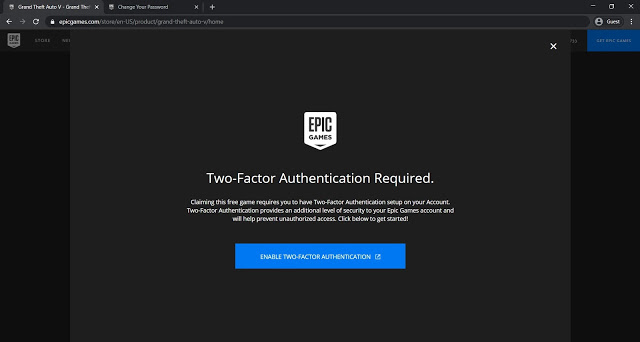
7. Enable Two factor authentication.

8. Go to store again and click on GTA 5.
9. Click on get and purchase page will appear.

10. Place order and done. You have purchased GTA 5 for 00$.
How to install GTA 5.
1. Click on GET EPIC GAMES in upper right corner of site and download will start.

2. Simply install it and RUN that .msi file
3. Epic games laucher will start.
4. After installation of epic games launcher run it.
5. Sign in your ID and go to Library

6. And download it.

 Get FREE GTA 5 !